

Two Separate Balances
Deposit Balance
Your deposit balance is credited every time a deposit transaction is successfully collected from a user. When a customer pays via mobile money, bank checkout, or card, those funds land in your deposit balance after reconciliation. Think of it as: money you’ve collected from your users.Payout Balance
Your payout balance is what funds withdrawals (disbursements to users). When you initiate a withdrawal via the API, the amount is immediately debited from your payout balance. If your payout balance is zero, withdrawal requests will fail with insufficient funds. Think of it as: money available to send out.Viewing Your Balances
In the dashboard, go to Wallets in the left sidebar. Each currency has its own wallet card showing both balances separately.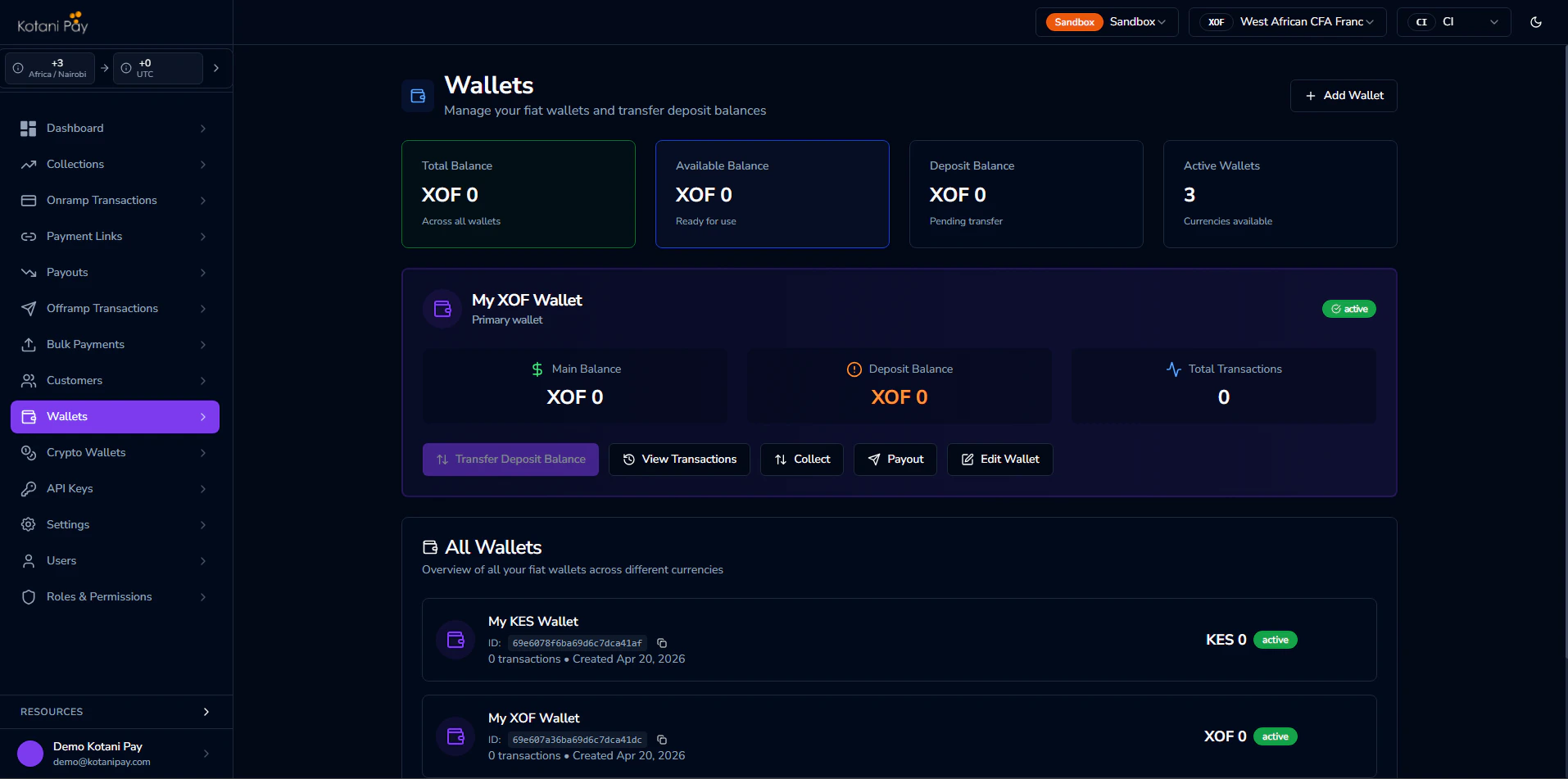
Transferring from Deposit to Payout Balance
Before you can send money to users, you need funds in your payout balance. You can move funds from your deposit balance to your payout balance at any time.From the Dashboard
- Go to Wallets in the sidebar
- Find the wallet for the currency you want to transfer
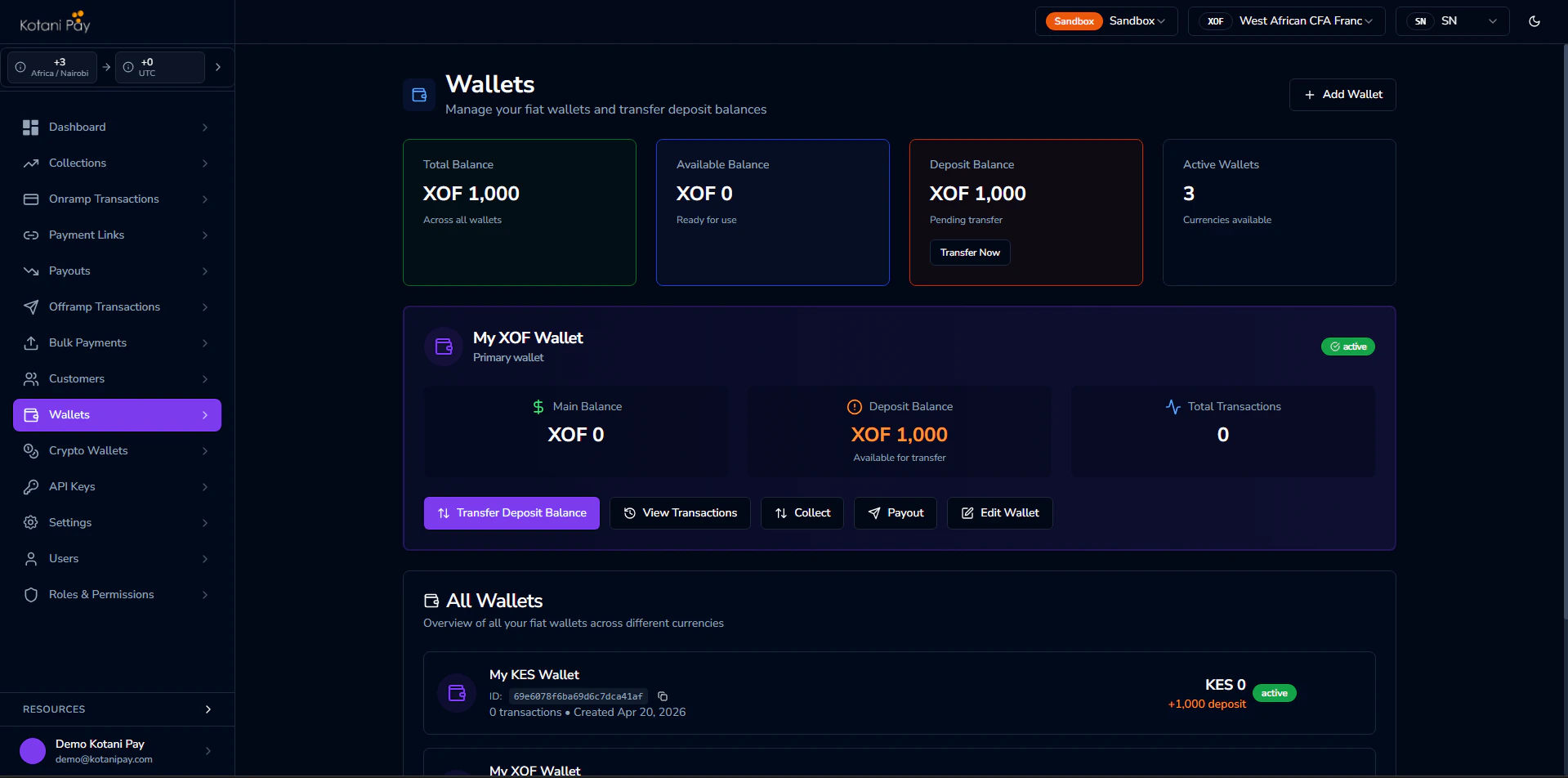
- Click the Transfer Deposit Balance button on that wallet card
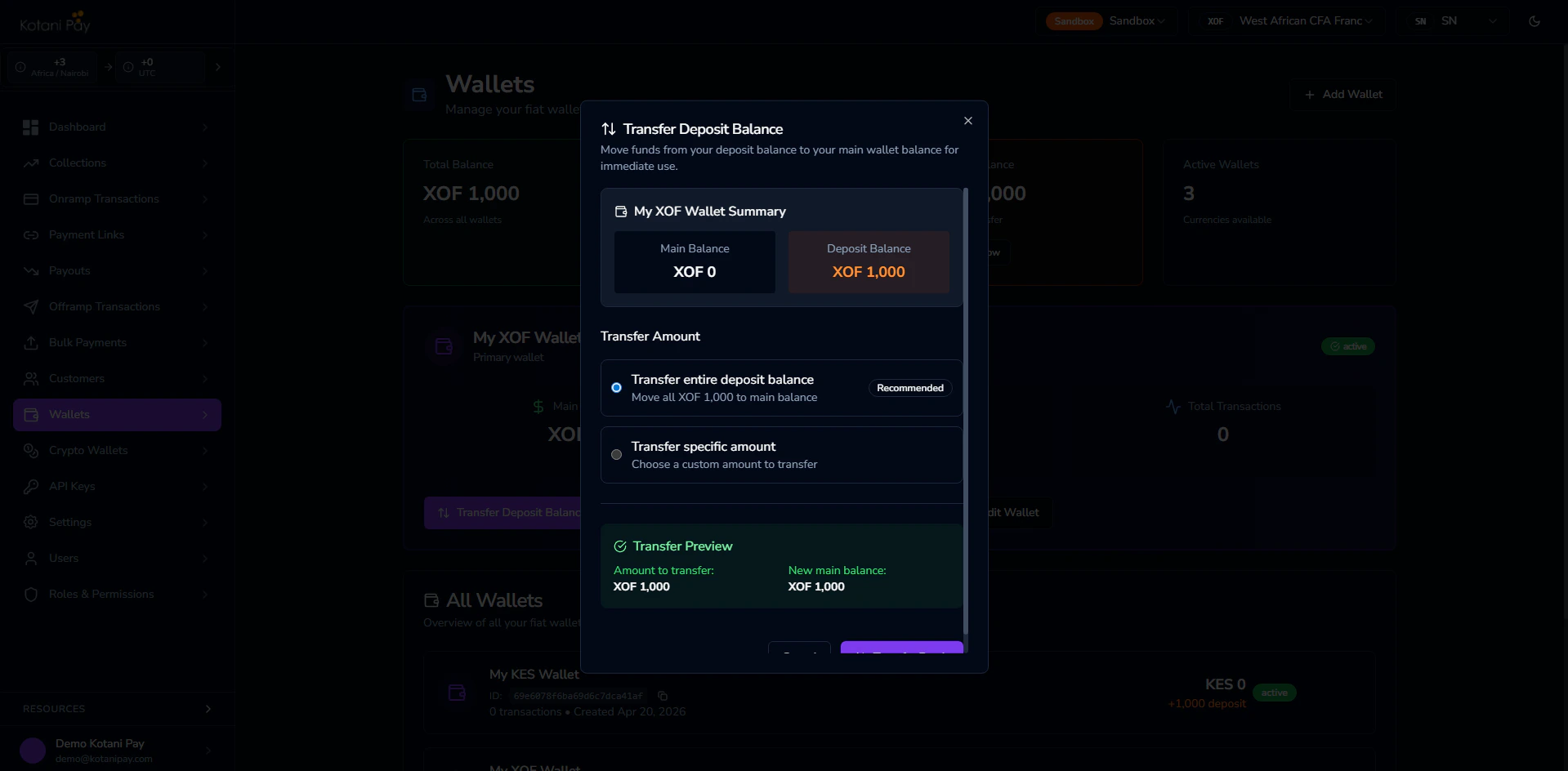
- Enter the amount to transfer and confirm
Via the API
See the Transfer Deposit Balance endpoint in the API reference for the full request and response details. The transfer is immediate — your payout balance increases and your deposit balance decreases by the same amount.Settlement
Settlement is the process of moving your collected funds out of Kotani Pay to your external account. Currently, settlement is manual only — there is no automated settlement schedule.How Settlement Works
1
Request a settlement form
Reach out through your designated communication channel (e.g., Slack) to request a settlement. The Kotani Pay team will send you a settlement form to fill out.
2
Fill out the form
The form captures the details needed to process your settlement:
- The amount you want to settle
- The currency you want to receive
- Your destination account or wallet details
3
Review and approval
The Kotani Pay team reviews the submitted form. Once approved, the requested amount is deducted from your balance.
4
Test transaction
Before releasing the full amount, a small test transaction is sent to your destination. This confirms the destination details are correct.
5
Full release
After the test transaction is confirmed, the remaining funds are released and the settlement is marked complete.
Common Questions
Why did my withdrawal fail with insufficient funds? Withdrawals pull from your payout balance, not your deposit balance. If you have collected deposits but haven’t transferred them to your payout balance, you’ll see an insufficient funds error even though you have a deposit balance. Use the Transfer Deposit Balance flow to move funds across. Do I need to move funds to the payout balance before every withdrawal? You only need to ensure your payout balance covers the withdrawals you’re processing. Many integrators fund the payout balance in bulk (e.g., top it up at the start of the day) rather than per transaction. What currency do I receive settlement in? Settlement currency and destination are agreed upon when you submit the settlement form. Speak to your account manager for the specific options available to you. How long does settlement take? After the test transaction is confirmed, the remaining funds are released promptly. Total time depends on review time and how quickly the test transaction confirms. Expect 1–3 business days end to end. Is there an API endpoint to request settlement? Settlement requests are currently handled manually — reach out through your communication channel to begin the process.Related
Fiat Wallet API
Transfer deposit balance via the API
Withdrawal Flows
How withdrawals debit from your payout balance